Tech enthusiast and lifelong learner with expertise in Microsoft 365, cybersecurity, and cloud technologies.

View all authors

Deploying Microsoft Entra Self-Service Password Reset in a Hybrid Environment with PowerShell

· 9 min read

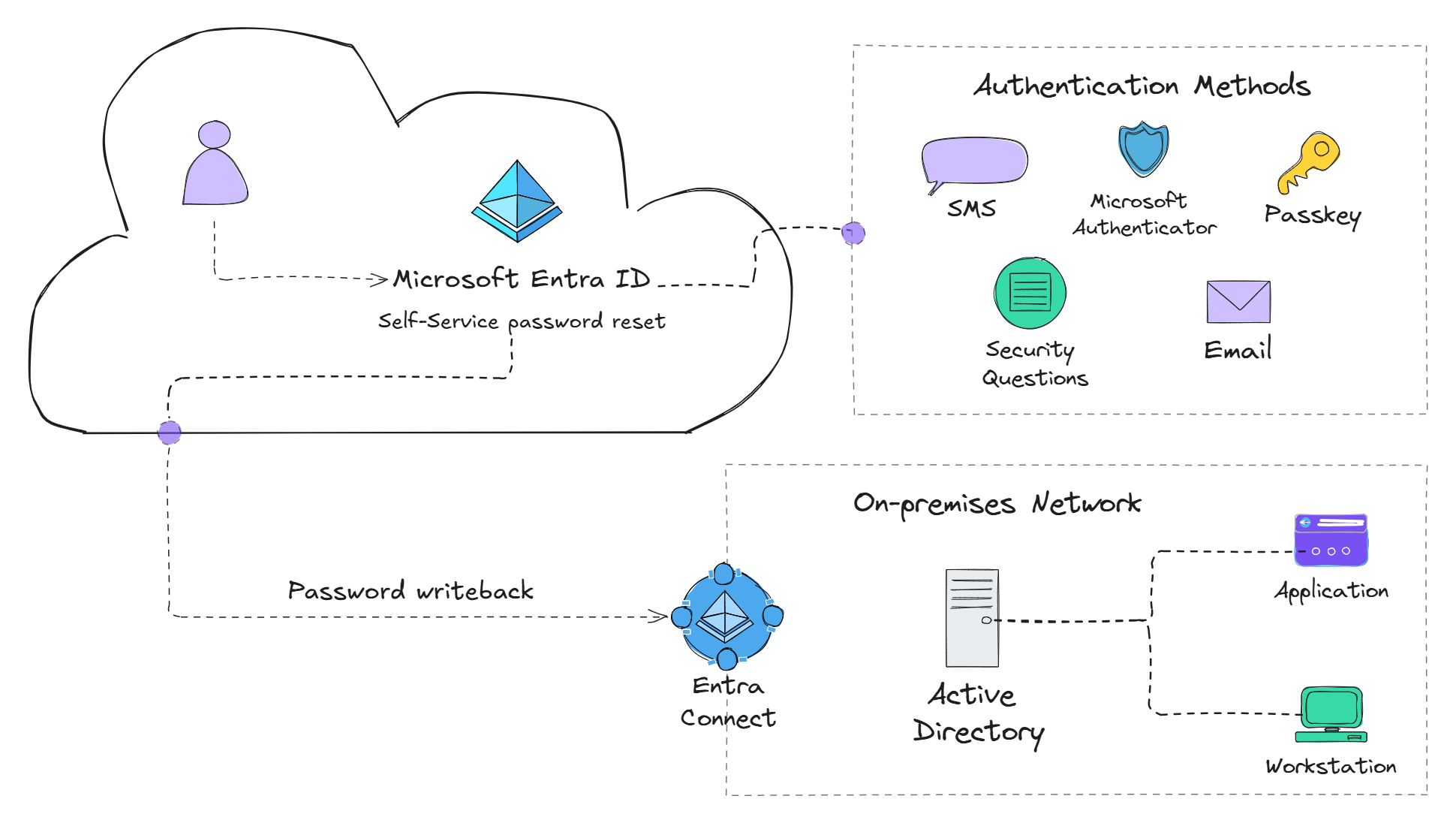
Self-service password reset diagram

One of the first things organizations do once they upgrade to a M365 license type that includes Microsoft Entra ID P1 is to start rolling out Conditional Access Polices to incorporate fine-grained security polices. However, after that, an attractive feature, especially for organizations with a hybrid environment, is the Self-Service Password Reset (SSPR) feature.

Using Microsoft application proxy to enforce MFA on the Genetec web app

· 2 min read

If an on-premises web application does not support modern authentication, using Microsoft Entra application proxy can be a great way to add strong authentication (MFA) to the web app. This can provide multiple benefits: Firstly, when creating an Entra application proxy app, it is assigned a service principle in the Entra tenant and can therefore be targeted by conditional access polices to enforce strong authentication before access is granted. Secondly, Microsoft Entra application proxy allows access to internal web applications without the need for an VPN or opening up any ports on the firewall.

Configure a Microsoft Entra ID Emergency Access Account with Phishing-Resistant Authentication

· 8 min read

To avoid losing administrative access to the Entra portal from things such as a misconfiguration of a conditional access policy (CAP), it's important to setup an emergency access (break glass) account with the Global Administrator role assigned to it. In this guide, we'll walkthrough the process of creating an emergency access account, setting up phishing resistant authentication, and setup monitoring to receive alerts when the account is used.